A friend of mine once sent 200 USDT to a trading account and watched it vanish. No hack, no scam, no bad luck. He simply picked the wrong network from a drop-down menu.
It happens every single day, and it's completely avoidable. USDT has become the go-to way for traders across Pakistan, India, Bangladesh and the Middle East to fund their accounts, because it's fast, cheap and doesn't depend on a bank. But that freedom comes with one rule you can't ignore: crypto transfers don't have an "undo" button.
So let's walk through it properly. By the end of this guide you'll know what TRC20 actually means, why it matters which "road" your USDT travels on, and how to send a deposit without that sinking feeling in your stomach. I'll use the FIROVIX deposit screen as the example, because it's built specifically to stop the mistakes I'm about to describe.
USDT is one coin travelling on many roads
USDT (also called Tether) is a stablecoin. It's designed to stay close to one US dollar, so 100 USDT is roughly $100 today and roughly $100 next week. That stability is exactly why traders love it.
Here's the part that confuses people: the same USDT exists on several different blockchains. Think of them as different roads leading to different cities. Your coins can only arrive if you pick the road that leads to the right address.
| Network | Also called | Address starts with | What people use it for |
|---|
| TRON | TRC20 | T | Low fees, supported by almost every exchange |
| BNB Smart Chain | BEP20 | 0x | Low fees, popular with Binance users |
| Ethereum | ERC20 | 0x | Widely supported, but usually the most expensive |
If you remember one sentence from this article, make it this one: the network you send on must match the network the receiver is expecting. Send USDT on BEP20 to a TRC20 address and, in most cases, it's gone for good.
Quick check: a TRON (TRC20) address always starts with a capital T. If the address you've been given starts with 0x, it is not a TRC20 address — stop and check again.
So why does everyone seem to use TRC20?
Two reasons: speed and cost. TRC20 transfers usually confirm within a few minutes, and the network fee is low compared with Ethereum. On top of that, practically every exchange and wallet — Binance, OKX, Bybit, Trust Wallet, TronLink — lets you withdraw USDT on TRON.
One honest caveat: fees aren't fixed. They change with network traffic and with your exchange's own withdrawal fee. Always look at the fee your exchange shows before you press confirm.
How a safe deposit works on FIROVIX, step by step
FIROVIX accepts USDT on TRC20 straight into its own wallet. What I like about the flow is that it's designed around the mistakes real people make. Here's how it goes:
- Pick the coin and the amount. Tap Deposit, choose USDT · TRC20 and type how many dollars you want to add — say, $100.
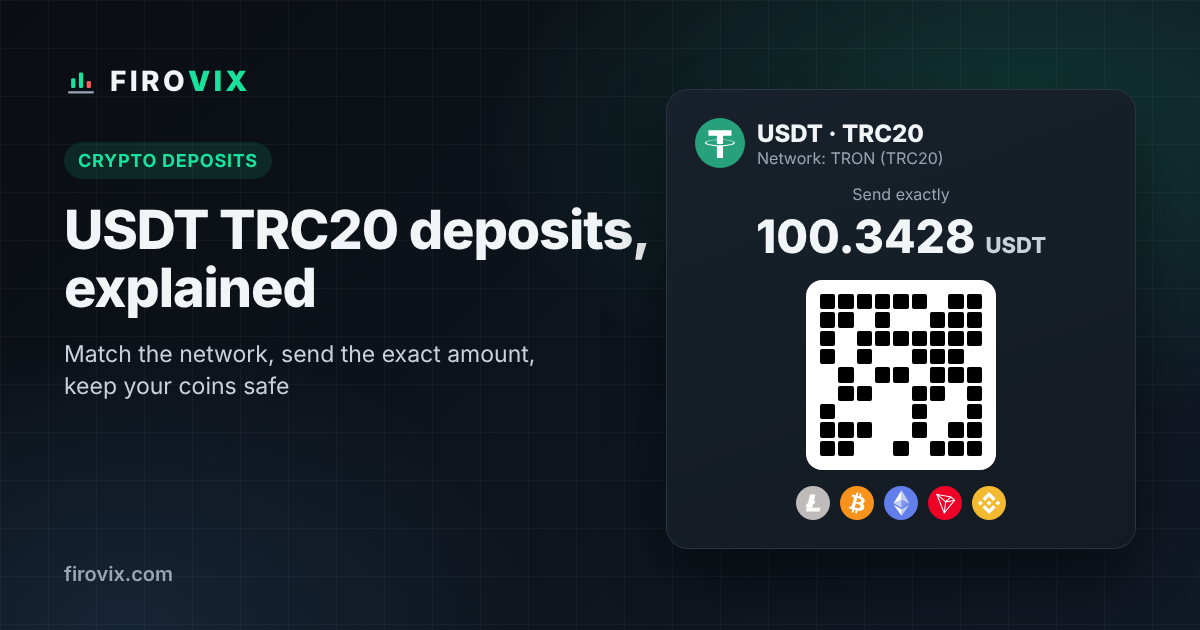
- Note the exact amount. The screen will show something like 100.3428 USDT. Those odd little decimals aren't a mistake: they're unique to your deposit, and they're how the system recognises your transfer automatically. Send it exactly, decimals and all.
- Copy, scan or save. Copy the address, scan the QR code with your wallet app, or tap Save QR image to keep a picture of all the payment details in your phone's gallery. That last one is handy if you're paying from a different device.
- Send it in one transfer. On your exchange or wallet, withdraw USDT and make sure the network says TRON (TRC20).
- Relax and wait. Once the blockchain confirms the transfer, your balance updates on its own — no screenshots, no emails, no waiting for someone to reply. You have 60 minutes to send, and a countdown on the screen shows how long is left.
Two more details that save headaches. If you change your mind before paying, you can cancel the deposit and start a fresh one. And if you've already paid but sent a slightly different amount (it happens when an exchange deducts its fee from the total), paste your transaction hash (TX ID) into the box provided. The team then checks it by hand rather than leaving you in limbo.
Don't have USDT on TRON? You still have options
Not everyone keeps their USDT on TRON, and that's fine. Through a crypto payment gateway, FIROVIX also accepts:
- USDT on BEP20 and ERC20
- Bitcoin, Ethereum and Litecoin
- TRON (TRX), BNB and Solana
Each option shows its own network name clearly on the payment screen. Read it twice before you send.
If you live inside the Binance app, there's also Binance Pay. You send the exact USDT amount to the FIROVIX Binance Pay ID from your app, then paste the Order ID back on the deposit screen. Because these payments are checked by the team, they usually take up to around 30 minutes rather than appearing instantly.
Five checks before you press "Send"
Print this, screenshot it, stick it on your fridge — whatever works:
- Network match. The network on your exchange is the same one shown on the deposit screen.
- Full address. Paste it, don't type it. Then compare the first six and last six characters.
- Every decimal. 100.3428 is not 100.34, and it's definitely not 100.
- Fees on top. If your exchange takes its fee from the amount you send, add it on so the full amount arrives.
- The real website. Before copying anything, check the address bar says firovix.com. Copycat sites exist for every popular platform.
And what about getting money out?
Fair question — a deposit is only half the story. On FIROVIX, withdrawals are paid only to traders who have verified their identity with a national ID card or driving licence, and one document can only ever verify one account.
Yes, it's an extra step. But think about what it means: even if someone stole your password, they couldn't simply withdraw your balance to their own wallet. Once you're verified, withdrawal requests are reviewed and sent to the crypto wallet you choose.
The bottom line
USDT on TRC20 is one of the quickest and cheapest ways to fund a trading account — as long as you match the network and send the exact amount. Get those two things right and the rest takes care of itself.
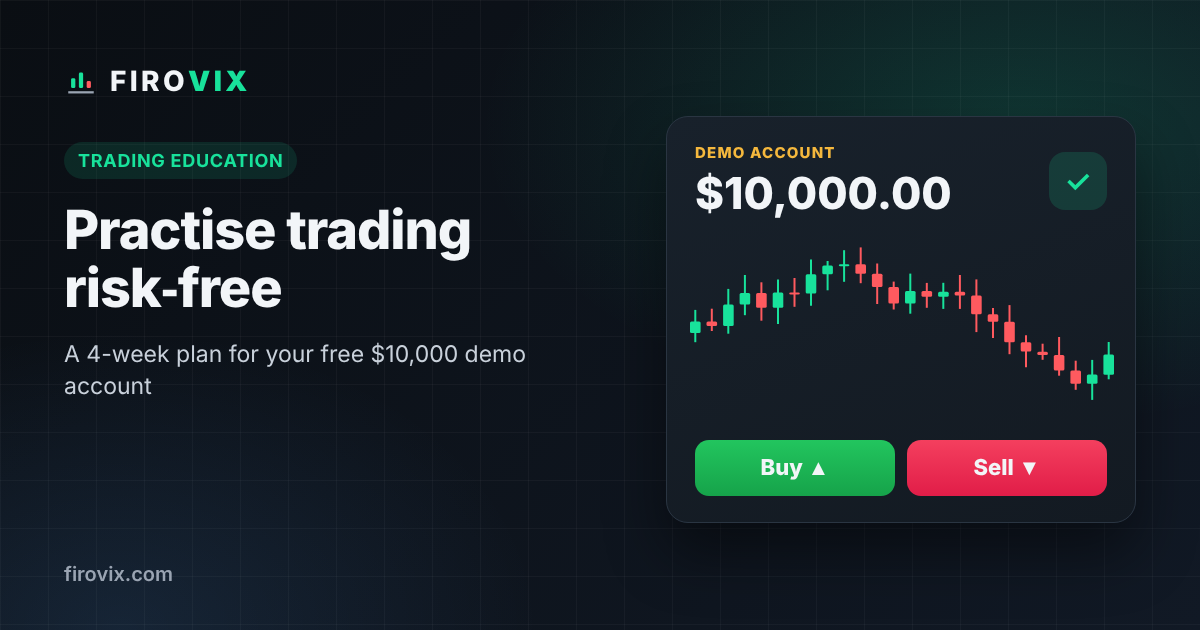
Want to see the deposit flow for yourself without spending a cent? Open FIROVIX, create a free account and have a look around. You get a $10,000 demo balance to practise with first, so you can learn the platform long before you send a single coin.
Risk warning: crypto transfers cannot be reversed. Trading carries a high level of risk and you can lose all the money you invest. Deposits and live trading on FIROVIX are offered only where they are available. This article is for information only, not financial advice.